Voice Rack
English · 中文版
Status · Free & Pro · Support · FAQ · Privacy Policy · Contact: [email protected]
Ask your recordings. Offline. Voice recorders, phone memos, meeting captures: scattered everywhere, named nothing. Point Voice Rack at them and minutes later every recording has a summary and tags you can filter, search and ask about. Transcription, search and answers run on your Mac; not one byte leaves it.
Free to download. Needs a Mac with Apple silicon and macOS 26.
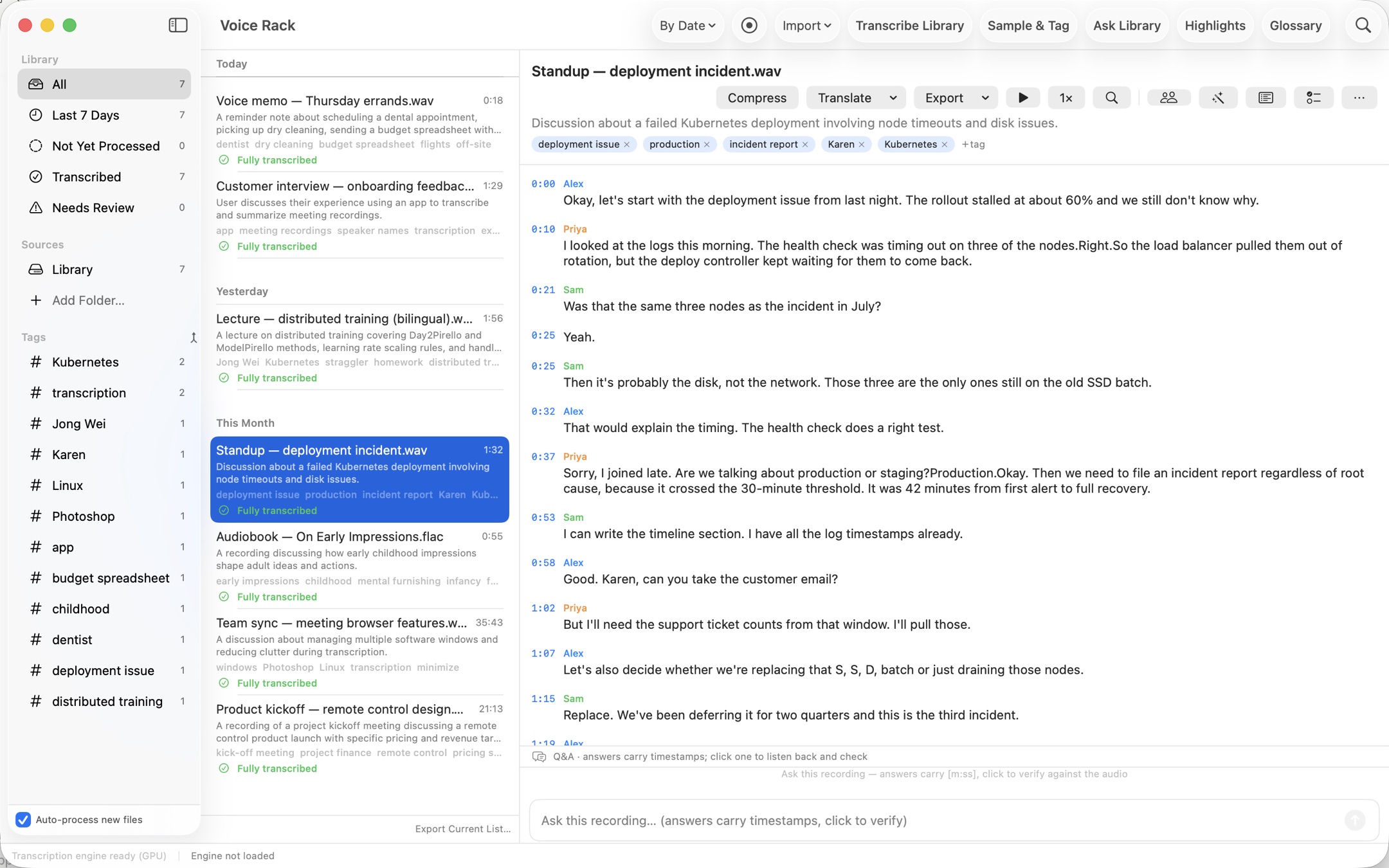
Pro · whole library
Ask your whole library
"Which meeting discussed the budget? What was decided?" Ask across every recording at once. Answers cite the source file and the second it was said; click to jump there and listen. Ask in one language and still match recordings in another. New in 1.1: narrow a question to one source folder, group or tag. Right-click it in the sidebar, or type @ or # while you ask.
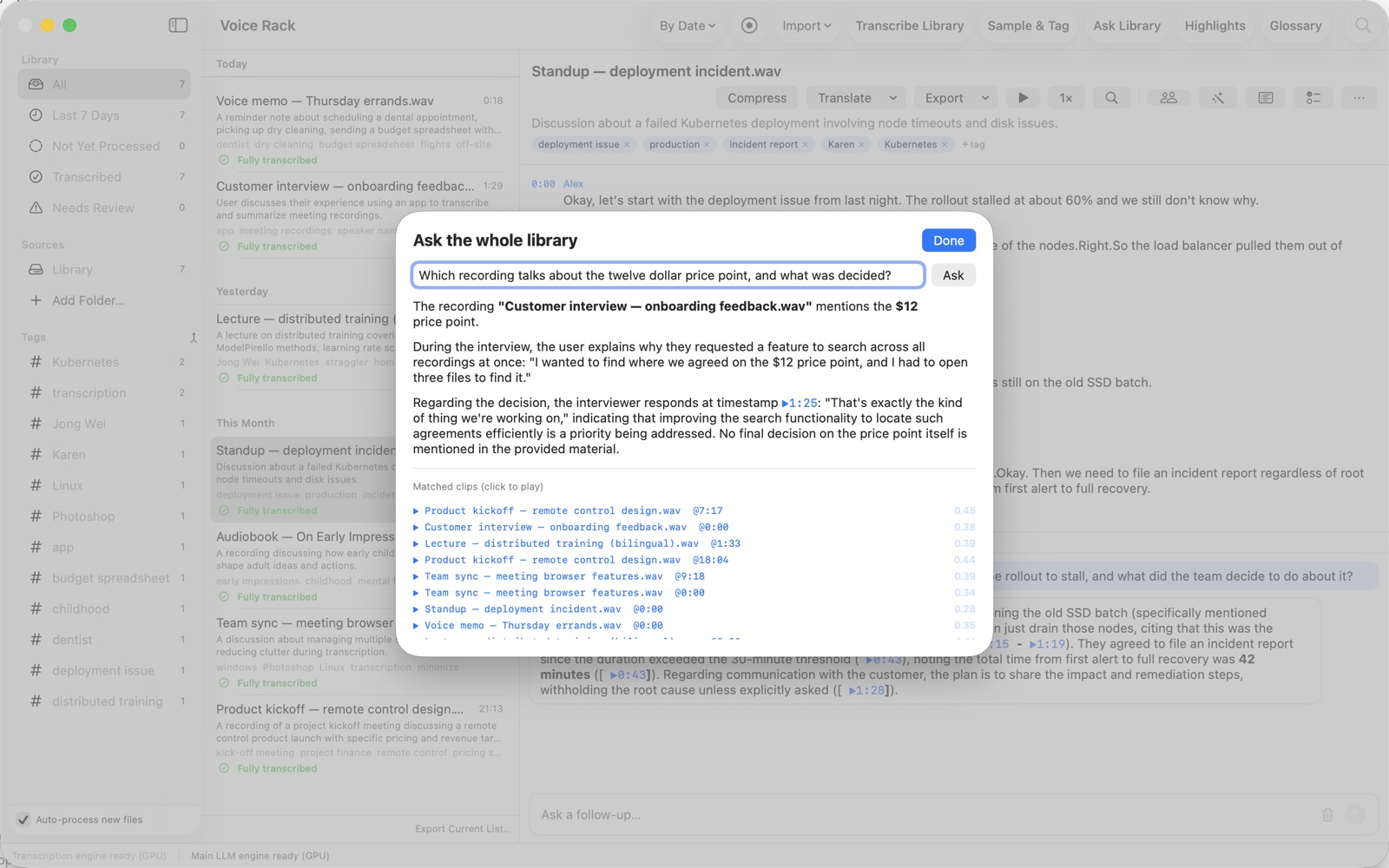
Free · per recording
Or talk to one recording
Open a recording and ask follow-up questions with context. Every answer carries a timestamp you can click to hear the source, so you check instead of trusting a summary. Long recordings switch to retrieval automatically, so a three-hour file answers as readily as a three-minute one.
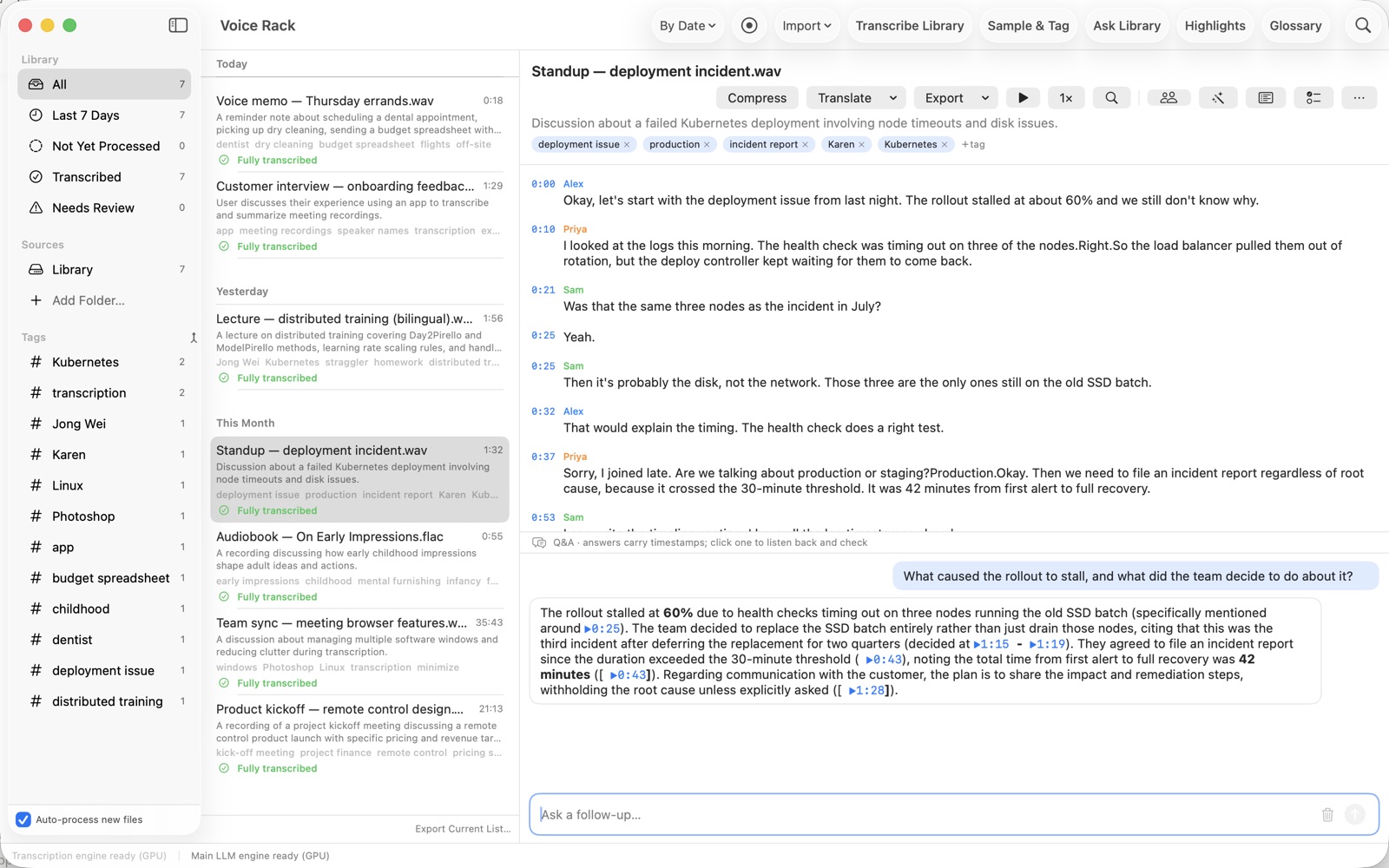
Free · per recording
Who said what
Speaker identification runs on your Mac. Name each speaker once and every line in the transcript follows.
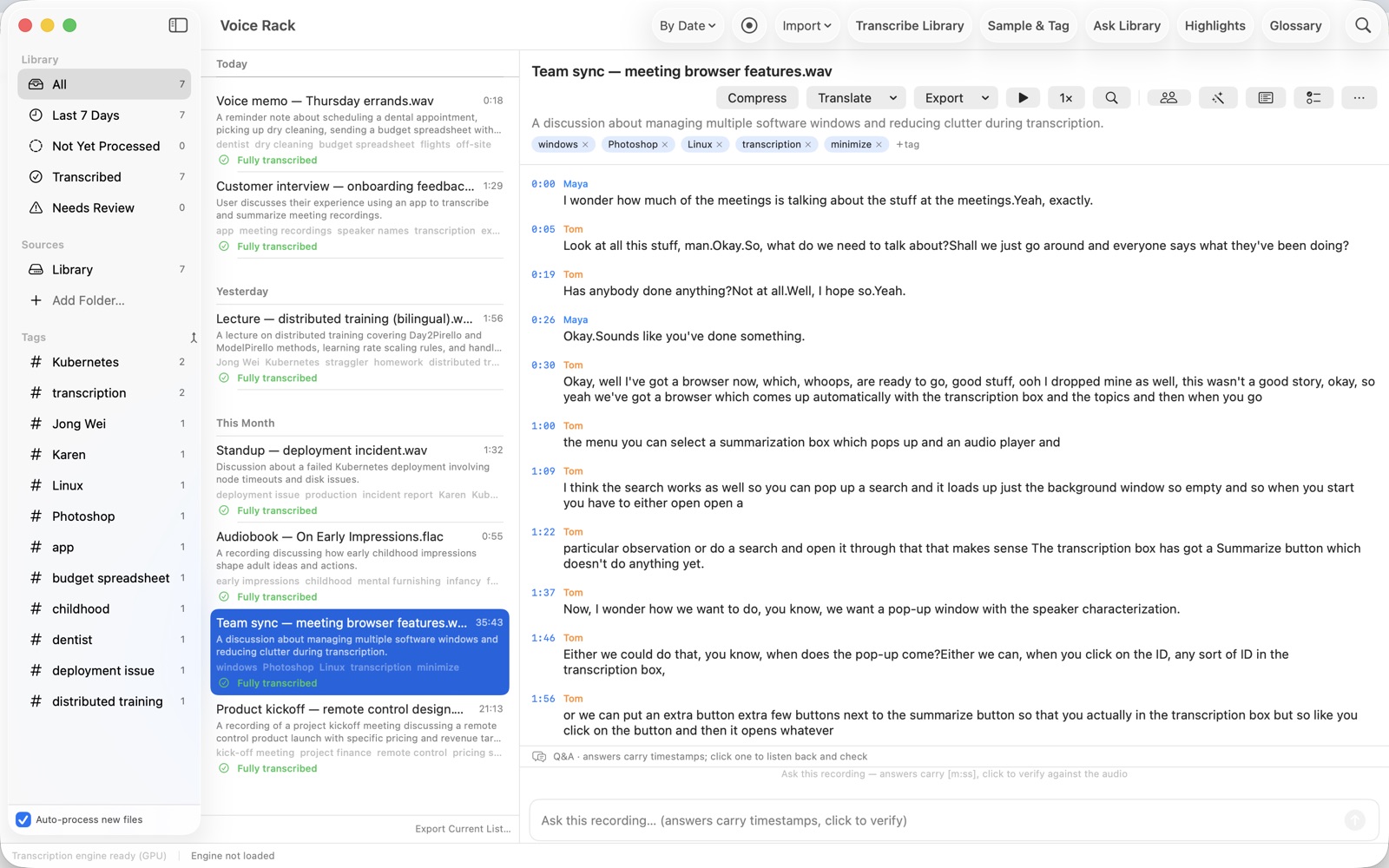
Free · Pro applies it to the library
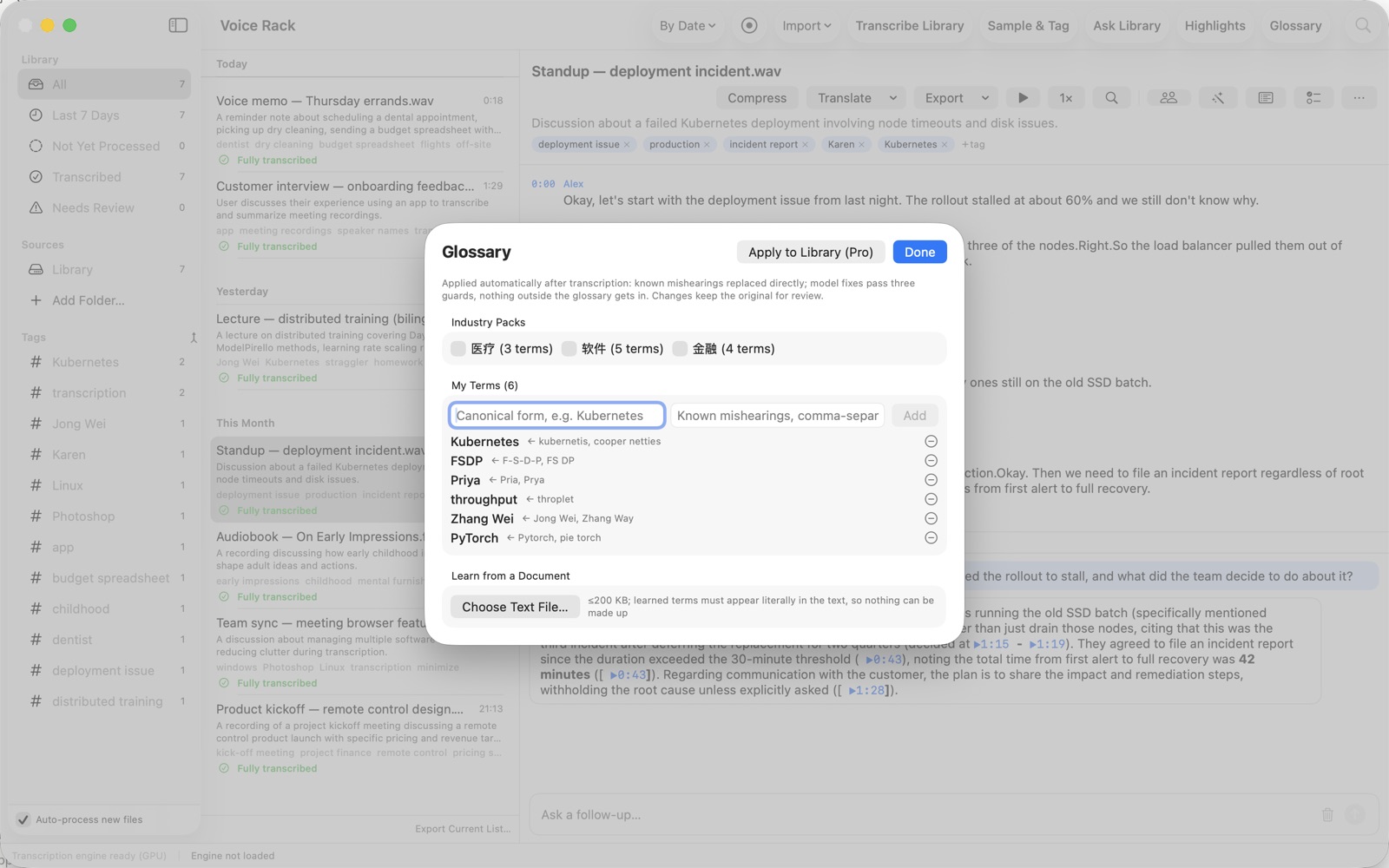
A term book that learns
Names and jargon get transcribed wrong once; fix them once and new transcripts get them right. It can even learn terms from your own documents. With Pro, apply a correction back across every recording you already have.
Free · per recording
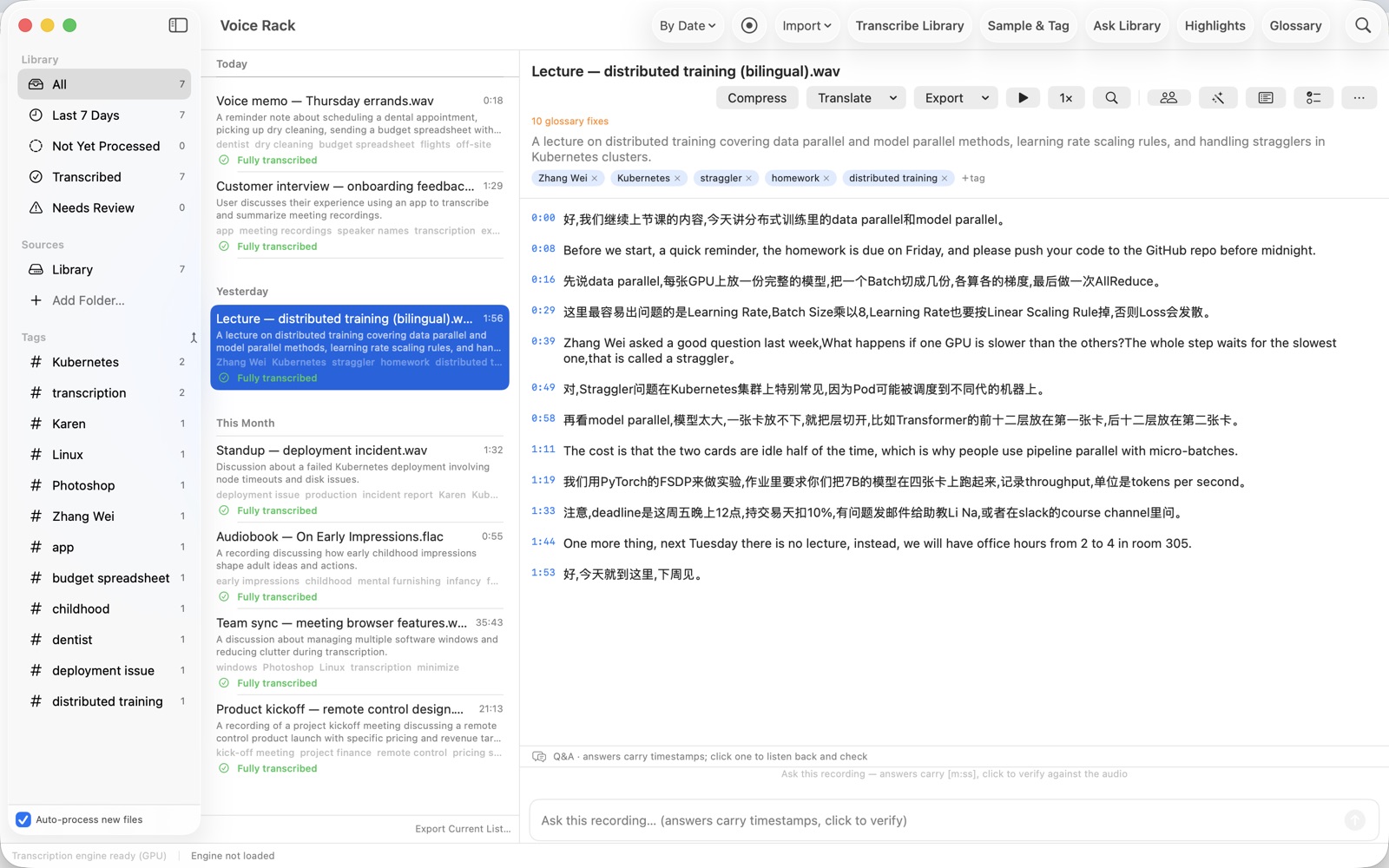
Speaks your languages
Transcribes 90+ languages; measured end to end in English, Chinese (Mandarin and Cantonese), Spanish, French, German, Dutch, Italian, Japanese, Korean and Russian. A lecture that switches between two languages stays bilingual. Ask in your language and the answer comes back in it, even when the recording speaks another. Summaries and tags follow the app's display language; transcripts stay in the recording's own language.
Free
A library in seconds
Import copies recordings into your library folder and leaves the originals where they were, or point Voice Rack at folders you already keep. Recordings are organized by their metadata first; transcription runs in the background, and if you quit halfway it picks up where it left off. Keyword search and tag filters cover the whole library, free.
Free · new in 1.1
Summaries, with or without timestamps
Every point in a summary carries the timestamp it came from, so you can listen back. When you only want the text, switch timestamps off: the summary on screen, Copy Summary and exports all follow. Points with no source keep their "unverified" mark either way.
Free · Pro exports a whole list
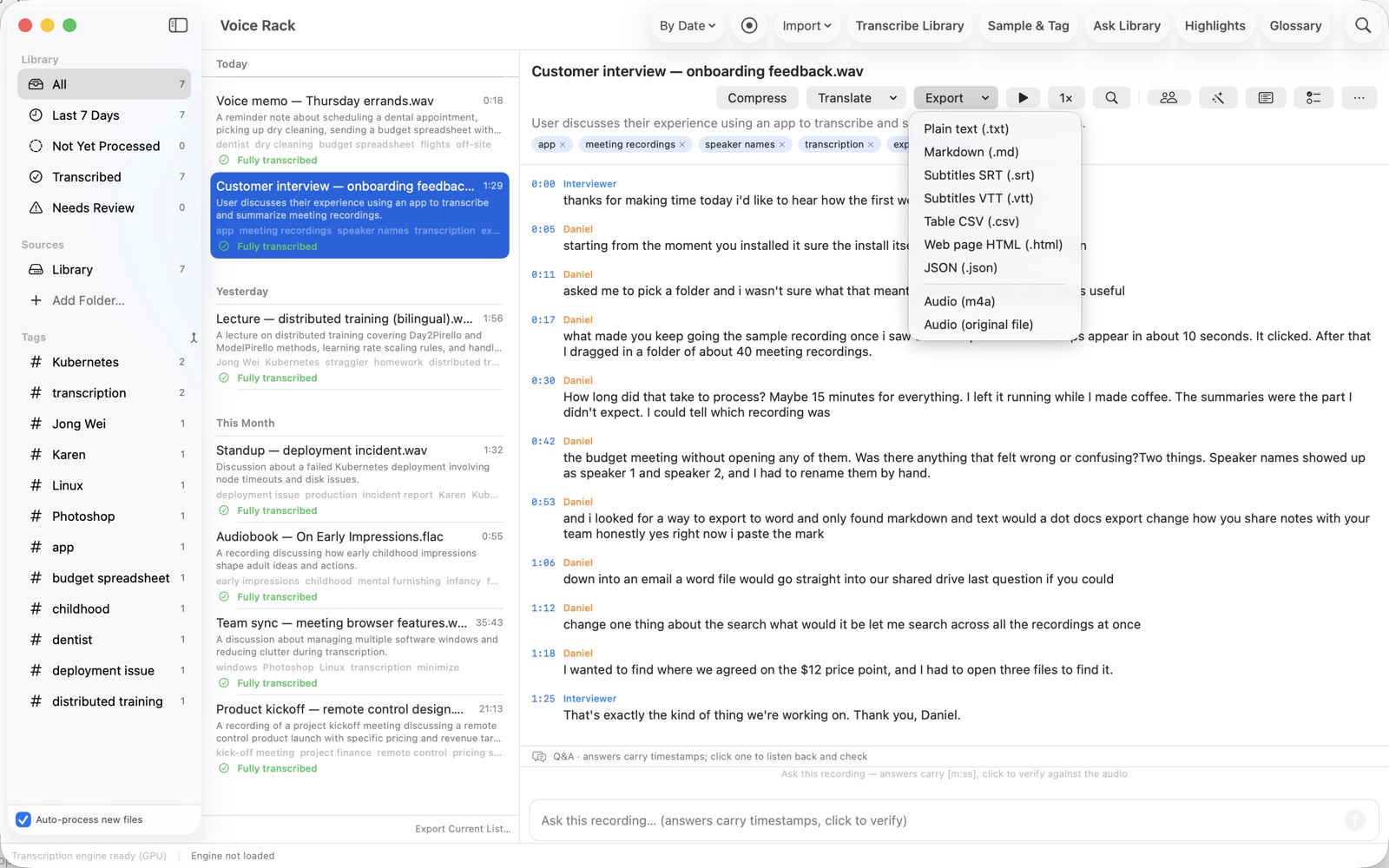
Seven export formats
SRT and VTT subtitles, Markdown, CSV, HTML, TXT and JSON. Recordings export as the original file or as M4A. With Pro, export everything in the current list in one step. New in 1.1.1: Copy This Page puts the tab you are on (Original, Cleaned, Summary, Translation or To-dos) on the clipboard, with or without timestamps.
Honest by design
Uncertain passages are flagged for a three-second listen instead of dressed up. When the transcript has no answer, it says so. Auto-extracted tags stay suggestions until you confirm them, and cleaned-up transcripts keep numbers exactly as spoken: anything the model cannot carry over verbatim is kept in the original and flagged.
Offline is the architecture
The speech and language models ship inside the app, and the app has no network permission at all: no account, no sign-in, nothing to activate. That is enforced by macOS rather than promised by us, and you can check it in ten seconds:
codesign -d --entitlements - "/Applications/Voice Rack.app"The list has no network entitlement, so the sandbox refuses every outgoing connection. The one exception is one you choose: with Pro, you can let an AI assistant on your Mac search your library. See the privacy policy.
Free and Pro
Free
The whole app, one recording at a time.
- The large on-device model, ready at first launch with nothing to download
- Transcription, summaries, questions and translation for any recording
- Speaker identification and names
- A term book that learns, applied to new transcripts
- Seven export formats
- Keyword search and tag filters across the whole library
Pro
The same, across the whole library. One purchase, no subscription.
- Ask questions across every recording, with cited sources
- Ask within one source folder, group or tag
- Transcribe and summarize the whole library in one go
- Apply term corrections back across the library
- Gather every highlight from every file in one place
- Merge duplicate tags across the library
- Compress the whole library
- Export the current list in one step
- Let an AI assistant on your Mac search your library
Try Pro free for 14 days, then buy it once. The price is shown in the Mac App Store.
Status
Version 1.1.1 has been on the Mac App Store since 2026-10-26 (the first release, 1.0.1, arrived on 2026-10-16), in every App Store region; the mainland China App Store followed on 2026-10-28.
- Chip
- Apple silicon (M1 or later). Intel Macs are not supported.
- macOS
- macOS 26 or later
- Memory
- 8 GB minimum, 16 GB recommended
- Disk
- About 5 GB; the models live inside the app
Built on Tempo9, the same local inference engine behind everything on this site.
Support
Questions, bug reports or refund help: [email protected].
- Where is my data? Transcripts and summaries are ordinary files next to your audio, in folders you choose. Nothing is uploaded — the app has no network permission.
- Free vs Pro. Everything you do on a single recording is free. Pro (one-time purchase) adds library-wide features: ask across all recordings, batch transcription and summaries, library-wide glossary fixes, compression and assistant access. Try Pro free for 14 days.
- Restore a purchase. Voice Rack menu › Voice Rack Pro… › Restore Purchase.
- Requirements. A Mac with Apple silicon, macOS 26 or later, 8 GB of memory (16 GB recommended), about 5 GB of disk space.
Frequently asked questions
Does anything leave my Mac?
No. Voice Rack has no network permission: recordings, transcripts, tags and answers are processed and stored on your Mac, and it works the same with Wi-Fi turned off. The one exception is one you choose yourself: with Pro you can let an AI assistant on your Mac search your library. See the privacy policy.
Which Macs does it run on?
A Mac with Apple silicon (M1 or later) and macOS 26 or later, with at least 8 GB of memory (16 GB recommended) and about 5 GB of disk space. Intel Macs are not supported. On an 8 GB Mac, summaries and answers are noticeably slower; transcription is not affected.
Which audio formats can I import?
MP3, M4A and AAC (including MP4 and M4B), Apple Lossless, FLAC, WAV (PCM, IMA-ADPCM and μ-law), AIFF, CAF, Ogg (Vorbis and Opus), and AAC-encoded 3GP, 3GA and 3G2 files from Android voice recorders.
macOS cannot decode WMA or proprietary recorder formats such as Olympus DSS/DS2 and WeChat SILK, so Voice Rack cannot read them either. They still appear in your library, greyed out with a note saying the format cannot be read; convert them to MP3, M4A or WAV first.
What can I export?
Transcripts export as TXT, Markdown, SRT and VTT subtitles, CSV, HTML and JSON. Recordings export as the original file or as M4A, which plays on phones, car stereos and messaging apps. MP3 export is not available, because macOS does not include an MP3 encoder.
How long does transcription take?
It depends on the Mac. Transcription works as a queue: import a batch, pause it, and resume later, even after quitting the app.
For reference: 2026-09-27, M5 Pro, build 1.0.0 (202609271012), a 126-minute recording transcribed in 2 min 46 s, single measurement.
Can it handle long recordings?
Yes. Long recordings switch automatically to retrieval, so a three-hour file can be asked about as readily as a three-minute one.
Can I ask across many recordings at once?
Yes, with Pro. Ask one recording what was decided, or ask the whole library a question that spans several conversations. Both modes answer with clickable timestamps that jump to the exact moment in the source audio.
How do I know an answer is right?
Every answer cites the recording and timestamp it came from, so you can listen to the source instead of trusting a summary. Auto-extracted tags stay suggestions until you confirm them, and cleaned-up transcripts keep numbers exactly as spoken: anything the model cannot carry over verbatim is kept in the original and flagged.
How much does it cost?
Everything you do on a single recording is free. Pro is a one-time purchase, with no subscription, that adds library-wide features such as asking across all recordings. You can try Pro free for 14 days.
Where do I get it?
From the Mac App Store. The download is free; Pro is an in-app purchase. It is available in every App Store region, including mainland China since 2026-10-28.